

How To
Create URL Groups and Endpoints
QStash allows you to group multiple APIs together into a single namespace,
called a URL Group (Previously, it was called Topics).
Read more about URL Groups here.
There are two ways to create endpoints and URL Groups: The UI and the REST API.
UI
Go to console.upstash.com/qstash and click
on the URL Groups tab. Afterwards you can create a new URL Group by giving it a name.
Keep in mind that URL Group names are restricted to alphanumeric, underscore, hyphen
and dot characters.
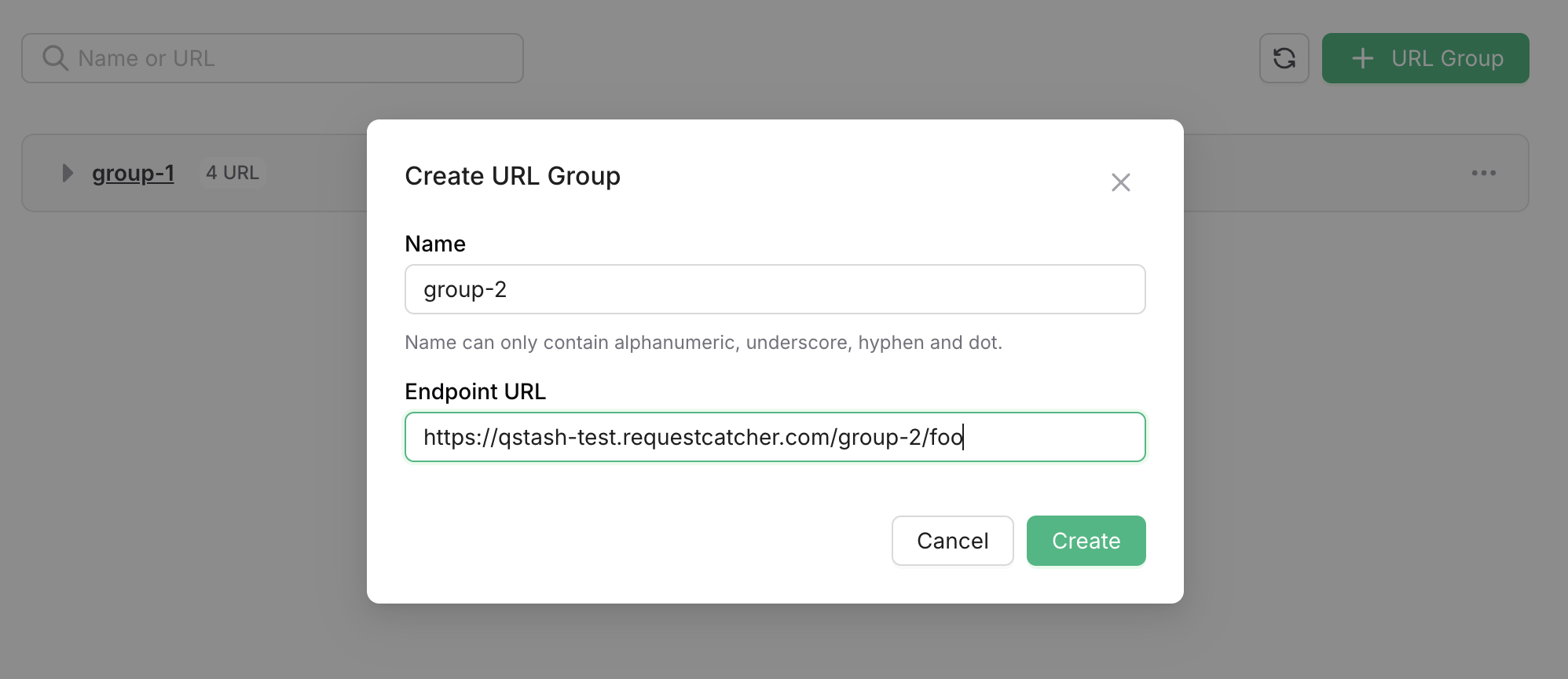
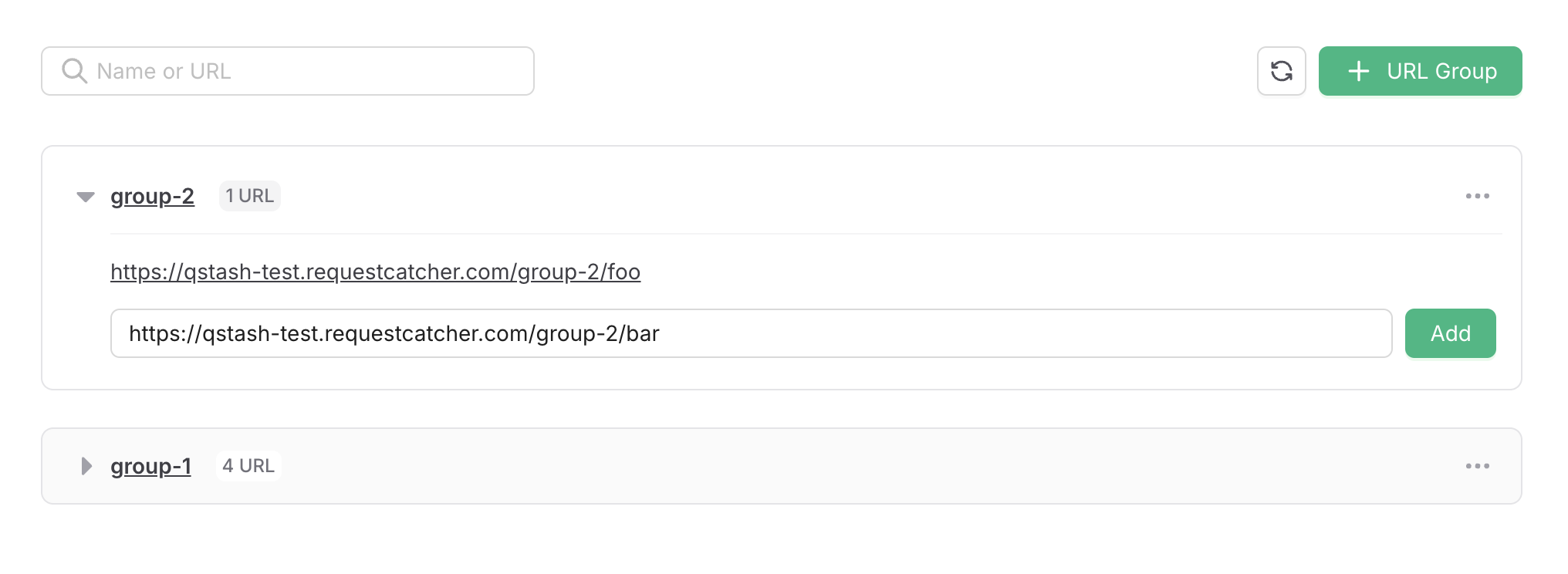
After creating the URL Group, you can add endpoints to it:
API
You can create a URL Group and endpoint using the console or REST API.
cURL
curl -XPOST https://qstash.upstash.io/v2/topics/:urlGroupName/endpoints \ -H "Authorization: Bearer <token>" \ -H "Content-Type: application/json" \ -d '{ "endpoints": [ { "name": "endpoint1", "url": "https://example.com" }, { "name": "endpoint2", "url": "https://somewhere-else.com" } ] }'Typescript
import { Client } from "@upstash/qstash";const client = new Client({ token: "<QSTASH_TOKEN>" });const urlGroups = client.urlGroups;await urlGroups.addEndpoints({ name: "urlGroupName", endpoints: [ { name: "endpoint1", url: "https://example.com" }, { name: "endpoint2", url: "https://somewhere-else.com" }, ],});Python
from qstash import QStashclient = QStash("<QSTASH_TOKEN>")client.url_group.upsert_endpoints( url_group="url-group-name", endpoints=[ {"name": "endpoint1", "url": "https://example.com"}, {"name": "endpoint2", "url": "https://somewhere-else.com"}, ],)