

Security
Request Authorization
When interacting with the QStash API, you will need an authorization token. To
get your token, go to the QStash tab in the Console,
pick a region, and copy the QSTASH_TOKEN from the Quickstart section.
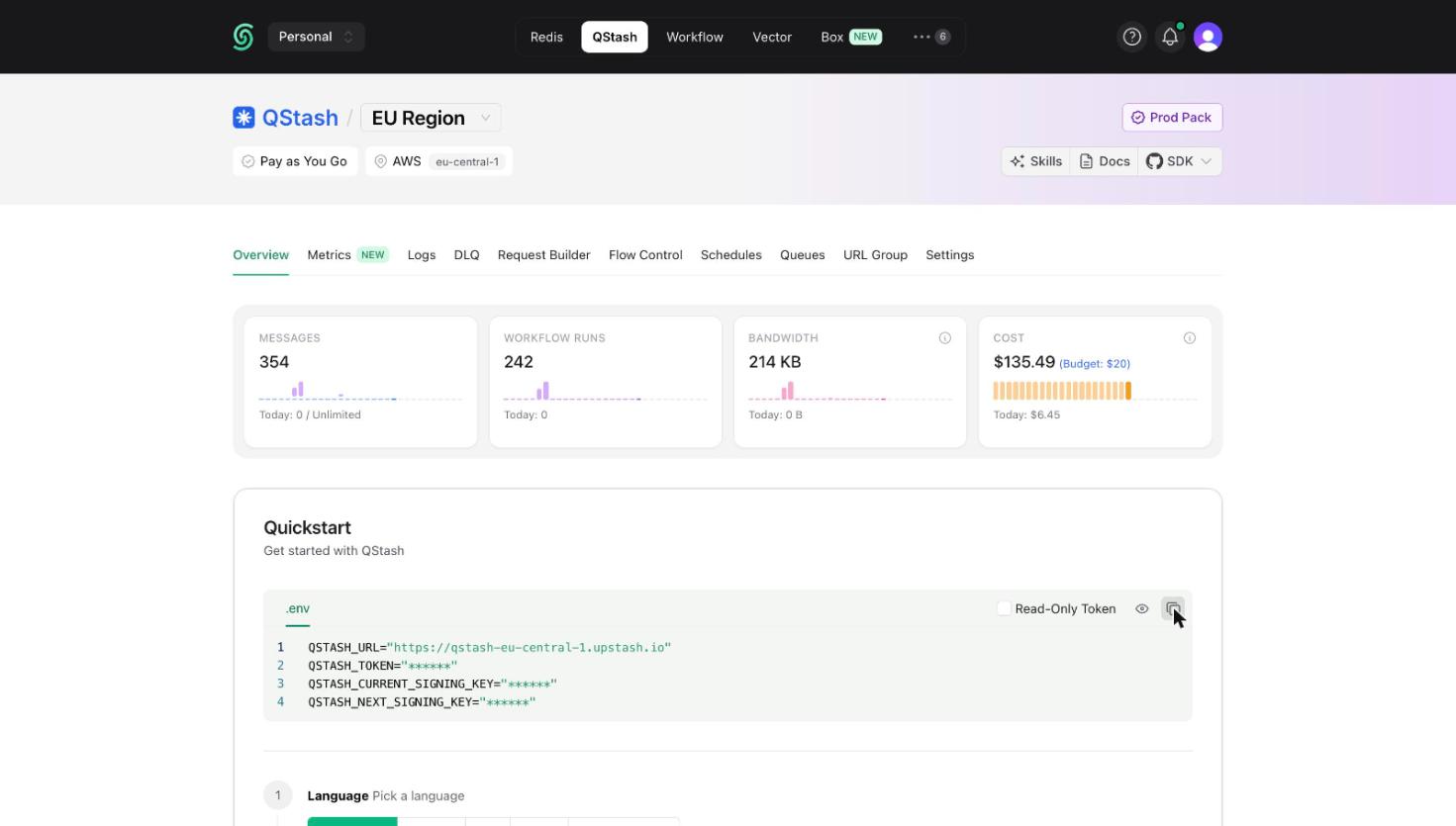
Send this token along with every request made to QStash inside the
Authorization header like this:
"Authorization": "Bearer <QSTASH_TOKEN>"Request Signing (optional)
Because your endpoint needs to be publicly available, we recommend you verify the authenticity of each incoming request.
The Upstash-Signature header
With each request we are sending a JWT inside the Upstash-Signature header.
You can learn more about them here.
An example token would be:
Header
{ "alg": "HS256", "typ": "JWT"}Payload
{ "iss": "Upstash", "sub": "https://qstash-remote.requestcatcher.com/test", "exp": 1656580612, "nbf": 1656580312, "iat": 1656580312, "jti": "jwt_67kxXD6UBAk7DqU6hzuHMDdXFXfP", "body": "qK78N0k3pNKI8zN62Fq2Gm-_LtWkJk1z9ykio3zZvY4="}The JWT is signed using HMAC SHA256 algorithm with your current signing key
and includes the following claims:
Claims
iss
The issuer field is always Upstash.
sub
The url of your endpoint, where this request is sent to.
For example when you are using a nextjs app on vercel, this would look something
like https://my-app.vercel.app/api/endpoint
exp
A unix timestamp in seconds after which you should no longer accept this request. Our JWTs have a lifetime of 5 minutes by default.
iat
A unix timestamp in seconds when this JWT was created.
nbf
A unix timestamp in seconds before which you should not accept this request.
jti
A unique id for this token.
body
The body field is a base64 encoded sha256 hash of the request body. We use url encoding as specified in RFC 4648.