# Credential Protection
Enabling Credential Protection ensures your database credentials are never stored within Upstash infrastructure. This enhances security by making credentials accessible only once—at the moment they are generated.
Credential Protection is a [Production
Pack](/redis/overall/enterprise#prod-pack-features)
feature.
## How It Works
When enabled:
- Redis database credentials are no longer stored in Upstash infrastructure
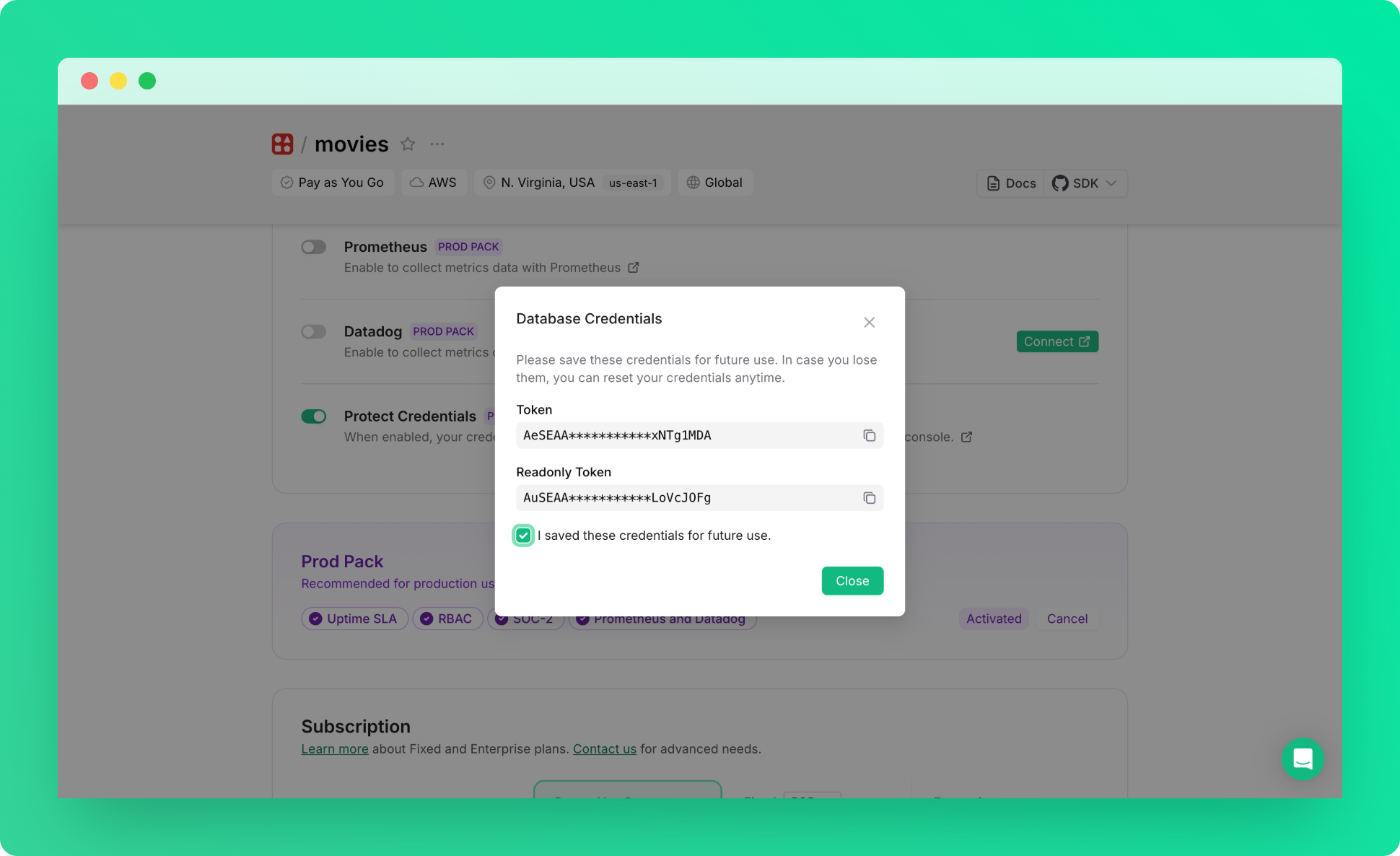
- Credentials are displayed only once during enablement - save them immediately
- Console features requiring database access are disabled (CLI, Data Browser, Monitor, ACL)
## Managing Credential Protection
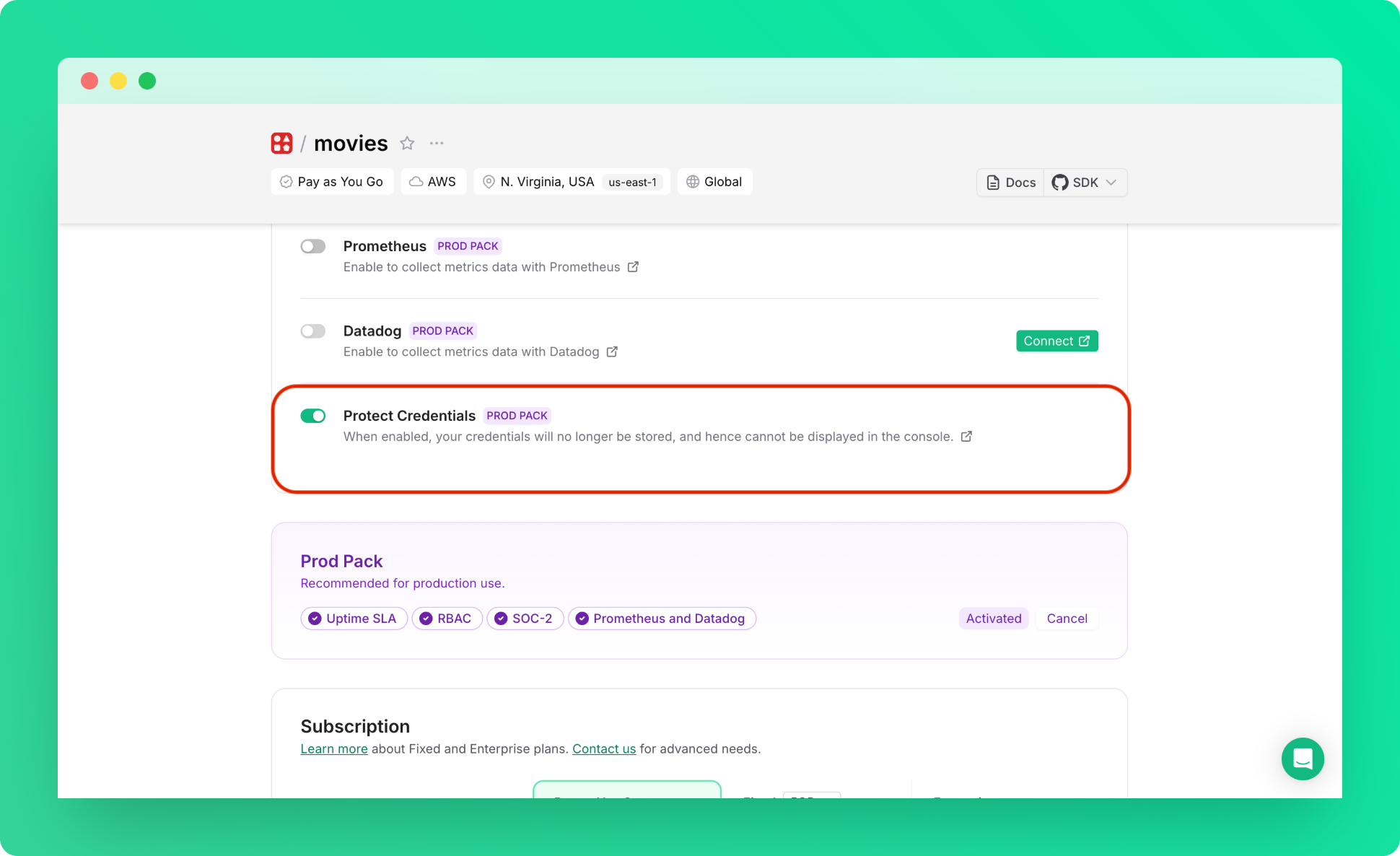
1. Go to database details page → Configuration section
2. Toggle **Protect Credentials** switch:
 3. Save the credentials shown in the modal:
 Disabling this feature will permanently revoke current credentials and
generate new ones, potentially breaking applications using those credentials.
## What If You Lose Your Credentials
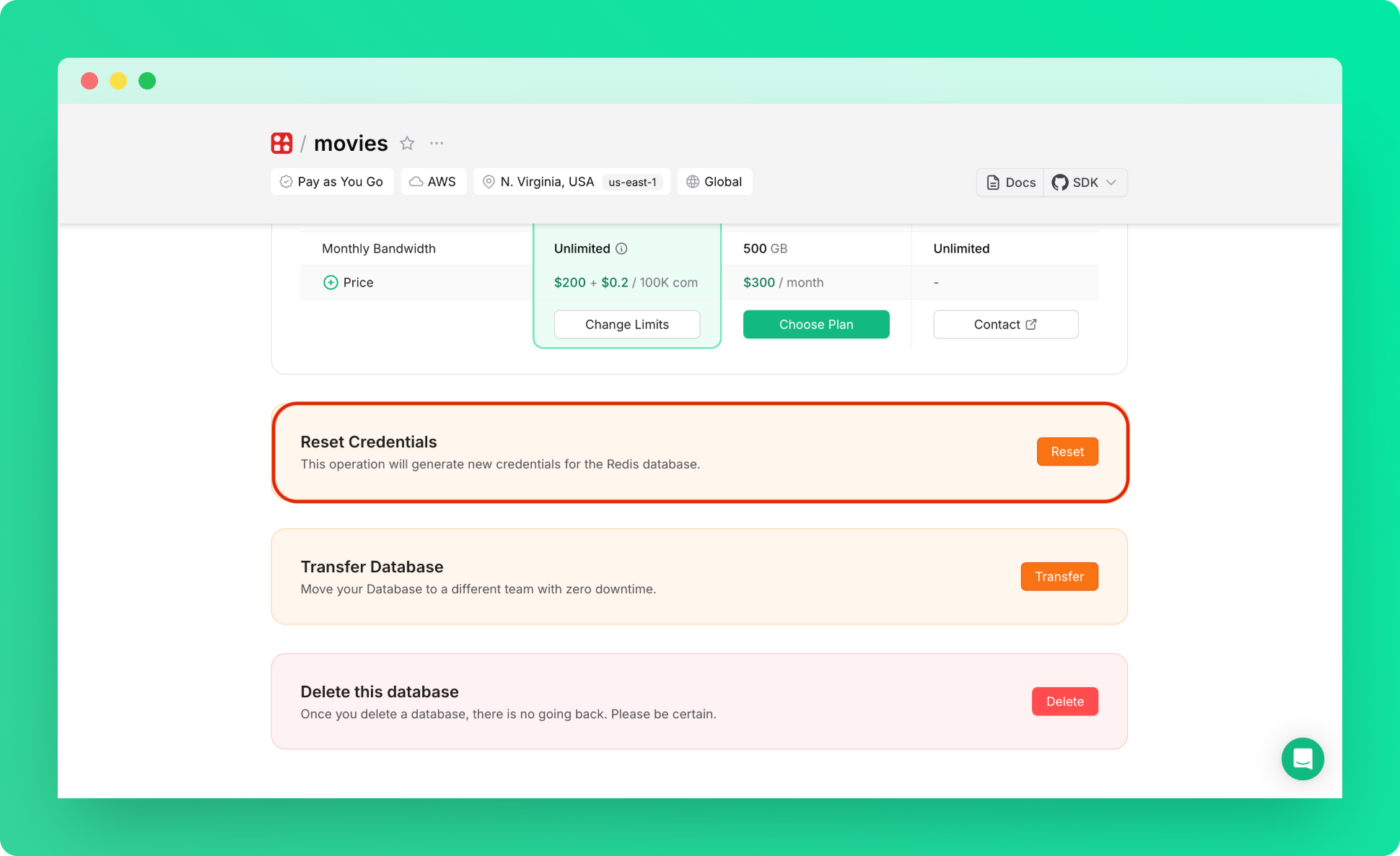
**Reset Credentials**: This function remains available and, when credential protection is enabled, will generate new protected credentials.
Navigate to the settings tab of your database and click **Reset Credentials**. You will be prompted to save the new credentials.
Disabling this feature will permanently revoke current credentials and
generate new ones, potentially breaking applications using those credentials.
## What If You Lose Your Credentials
**Reset Credentials**: This function remains available and, when credential protection is enabled, will generate new protected credentials.
Navigate to the settings tab of your database and click **Reset Credentials**. You will be prompted to save the new credentials.